
System administrator: create a venue
- 1
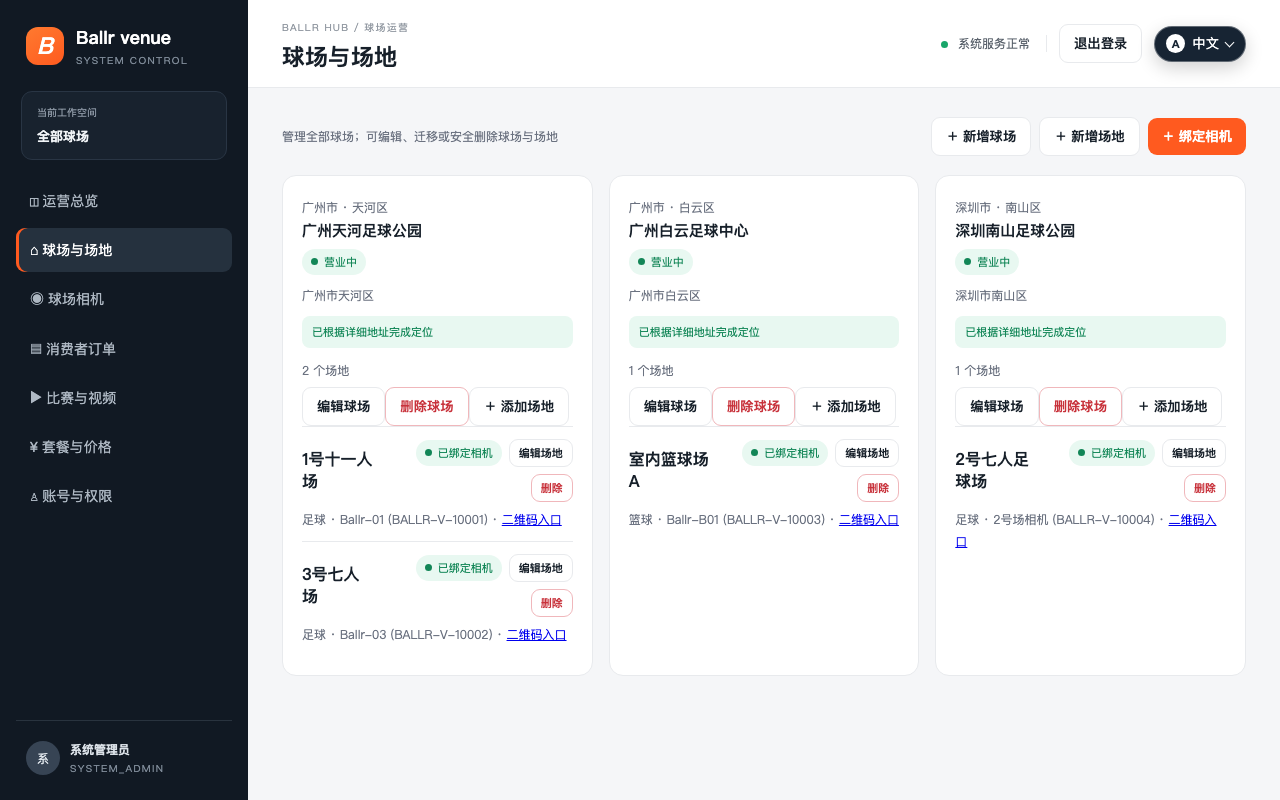
Open Venues and fields and select Add venue.
- 2
Choose city and district, then enter a unique venue name and full address.
- 3
Confirm the address generated a location; missing coordinates affect nearby-venue recommendations.
- 4
Save the venue and continue by adding a field.
 View full size ↗
This real product screenshot identifies the workflow path. Follow the version note and current on-screen labels; replace an older versioned image with a sanitized current screenshot before publishing.
Add a field
- 1
Enter field name, sport and availability.
- 2
After saving, open the QR entry for that field.
- 3
Before a camera is bound, players may see the field but cannot start recording or live service.
- 4
A closed venue is hidden from player selection, and a closed field cannot accept orders.
If your screen differs from this guide, check the camera model, App or firmware version, account role and organization service status.